
Meta Quest 3 Gaussian Splat Viewers Ranked: AirVis and Hyperscape Lead
Gaussian splats bring immersive 3D captures to VR, but viewing them on Meta Quest requires choosing the right app. After testing multiple options, AirVis emerges as the most flexible choice, while Hyperscape delivers the best visual quality.

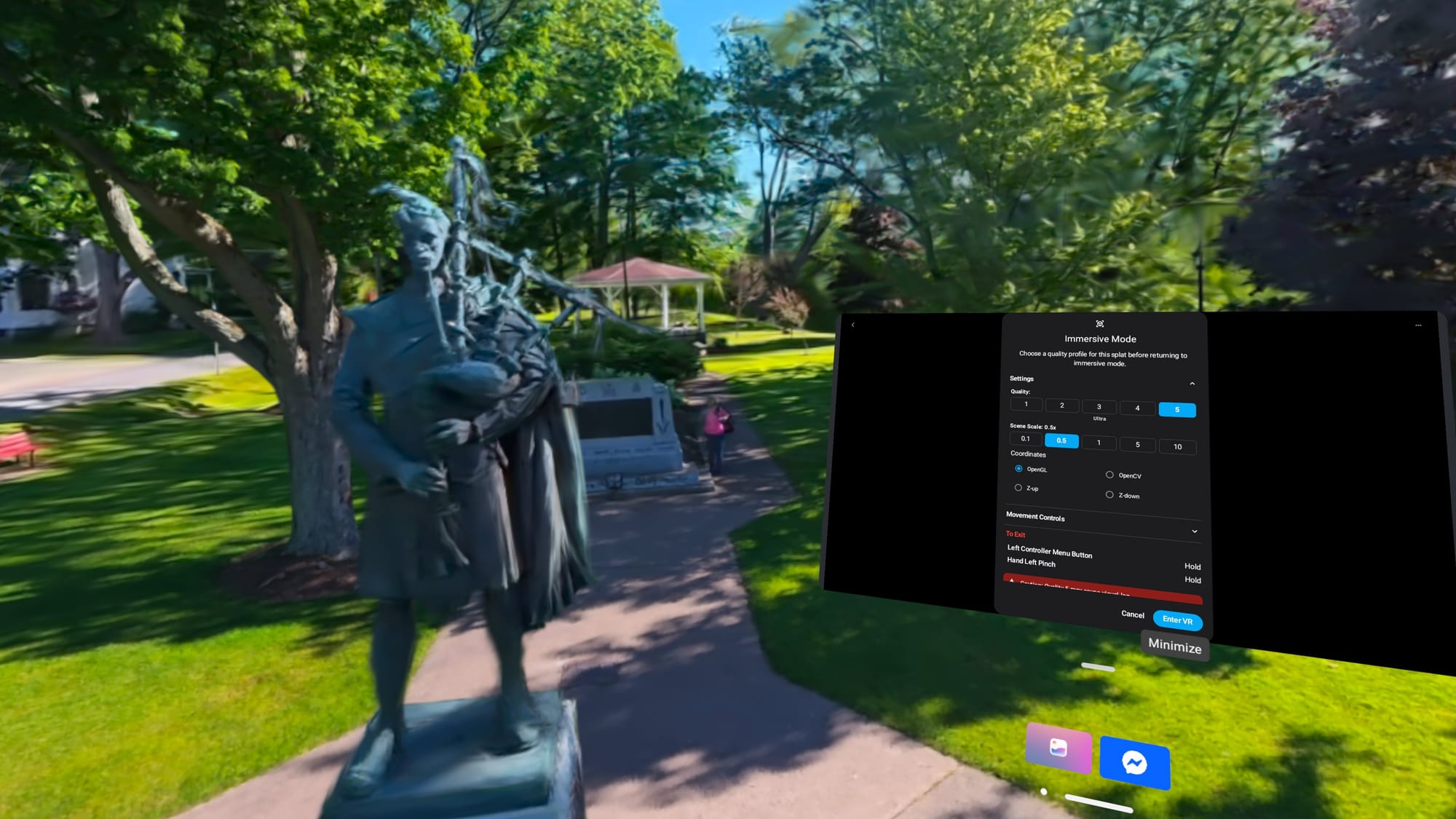
Gaussian splats are three-dimensional captures that let you explore spaces from multiple angles and positions. While they're viewable on screens, VR transforms them into destinations you can walk through, making the experience feel like visiting a place rather than viewing a photograph.
Getting started requires choosing among several viewers, each with different strengths and limitations. Some apps browse cloud libraries, others require files transferred directly to the headset. Sharing capabilities vary significantly, as do performance and visual quality across Meta Quest hardware.
AirVis: Most Flexible Option
AirVis stands out as the strongest overall recommendation, offering both a native Quest app and access to public cloud scenes. The app provides 5GB of free cloud storage, with subscription options for additional space. Users can browse community scenes or upload their own captures using phones, drones, or 360 video sources.
Controls feel responsive and intuitive, similar to flying a drone through the scene. The app maintains crisp details and good frame rates, with medium quality settings performing well on Quest 3 hardware. Many scenes run comfortably at the highest quality setting. AirVis also supports PC streaming for users with fast graphics cards, delivering comparable visual quality with performance improvements on demanding splats. On an Nvidia RTX 4070 Super, large scenes achieved 30 to 40 frames per second.
Hyperscape: Best Visual Quality With Limitations
Meta's Horizon Hyperscape produces the best combination of quality and smoothness among viewers tested. Navigation is straightforward, though movement is limited to teleporting or walking; flying is not available. The app requires a Quest 3 or 3S to capture scenes, and sharing personal captures with other users is not possible. Meta removed the ability to share captures and invite friends in May 2026, leaving capture and revisit functionality available only within individual accounts.
SuperSplat: Largest Community Library
SuperSplat operates through the Quest browser and offers the largest community library of scenes. Users can teleport, walk, or fly through content. However, the app struggles with performance on demanding scenes. Even Meta's Quest 3, now three years old, experiences noticeable lag with larger, unoptimized splats. Performance mode helps but doesn't fully resolve frame rate issues that can cause motion sickness on complex scenes.
GSVision: Local File Viewing
GSVision is the best option for viewing splat files stored directly on Quest, transferred via USB from a PC. The app recommends keeping splat counts below 700,000 polygons, with lag becoming noticeable around 1.2 million. Various quality and performance adjustments help smooth movement, though a fixed gray platform obscures portions of scenes and cannot be disabled. Visible holes appear in scenes that exceed the app's polygon limits.
Into The Scaniverse: Mobile Capture Integration
Into the Scaniverse connects phone captures to Quest viewing and community sharing, similar to AirVis but with fewer features. Scenes captured with phones run without noticeable lag but tend to lack detail. The Quest app feels dated compared to modern viewers, with its hot air balloon interface and globe metaphor feeling awkward beside cleaner thumbnail browsers.
Additional Options Worth Exploring
Marble offers AI-generated splat environments rather than real-world captures, providing a different exploration experience with good browser performance. Gracia features animated, subject-focused splat captures that deliver impressive streaming quality and demonstrate the potential for dynamic content beyond static scenes.
After extensive testing, AirVis remains the best choice for flexible viewing and sharing on Meta Quest 3. Hyperscape delivers superior visual results within its restrictions. GSVision serves as a practical tool for local file viewing, while SuperSplat and Into the Scaniverse remain viable alternatives depending on content preferences.
Sources
- UploadVREstablished publication · recorded Sep 18, 2026The Best Ways To View Gaussian Splats On Quest